
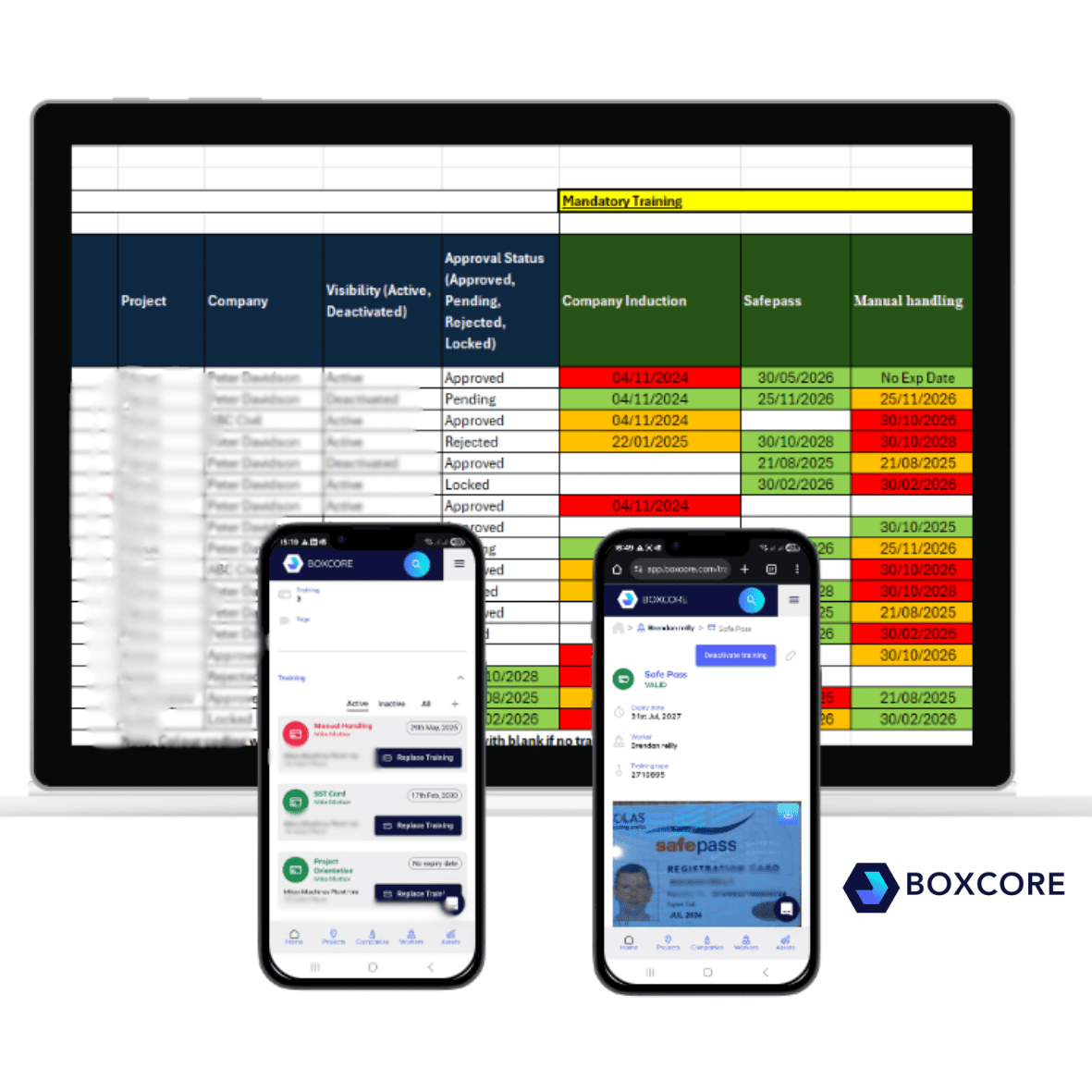

A training matrix is only useful if it reflects live conditions. On a busy project, new workers arrive, subcontractors rotate crews, training expires, and project-specific requirements change. If the system managing this data is slow to update or difficult to use, site teams stop trusting it.
That is where most legacy systems fall down. They are often built for office-based compliance teams rather than boots-on-the-ground users. As a result, the training matrix becomes something that is updated after the fact, rather than a tool that actively controls who can work on site.
Modern training matrix software for construction needs to do more than store certificates. It must:
- Track role-based, task-specific, and project-specific training
- Support regional requirements such as Safepass cards in Ireland, CSCS cards in the UK, and SST cards and OSHA cards in the US
- Integrate with site access control and time and attendance
- Be usable by subcontractors without weeks of training
Without these fundamentals, the software becomes another admin burden rather than a risk-reduction tool.
1. Role-based and task-specific training logic
The first thing to look for in training matrix software for construction is whether it understands how training actually works on site.
Not all workers need the same training. A general operative, a plant operator, an electrician, and a working foreman all have different requirements. On top of that, clients increasingly mandate project-specific and task-specific training on top of statutory cards.
Good training matrix software should allow you to:
- Assign training requirements by role, trade, or activity
- Apply additional requirements by project or client
- Clearly show gaps before a worker starts work
In Ireland, this means being able to confirm Safepass alongside task-specific training such as manual handling or working at height. In the UK, CSCS alone is not enough without evidence of role-relevant training. In the US, OSHA cards must often be combined with site Orientation records and client-specific safety training.
If your system only tracks certificates at a high level, you will still end up manually checking spreadsheets when a new task starts.
2. Real-time visibility for site teams, not just head office
One of the biggest mistakes contractors make is choosing training matrix software that only works for compliance managers.
On a live site, the people who need training visibility are Superintendents, site managers, and foremen. They need to be able to answer simple questions quickly:
- Is this worker approved to carry out this task today?
- Has anyone’s training expired overnight?
- Are all subcontractors compliant before a concrete pour or shutdown?
If the answer takes five minutes, a laptop, and a phone call to head office, the system will be bypassed.
The best platforms give real-time visibility from any device, including mobile. Site teams should be able to see training status in seconds, without navigating complex menus or exporting reports.
This approach is central to platforms like Boxcore, where training matrices sit within a wider site safety and workforce management platform designed around frontline use Boxcore – Overview – 3rd of Mar….
3. Integration with access control and time and attendance
Training data should not live in isolation. One of the most important developments in training matrix software for construction is its connection to site access control.
If a worker’s training is expired, incomplete, or missing for a specific task, the system should be able to enforce that in real terms. This is where facial recognition-based access control becomes critical.
When training matrices are integrated with access control and time and attendance:
- Only approved workers can access site
- Training status is checked automatically at the point of entry
- Attendance records align with compliance records
This removes the risk of relying on manual spot checks or outdated printouts in the site office.
Boxcore’s approach to access control is a good example of this joined-up model, where training, access, and attendance data are all visible in one place, rather than across multiple systems. More detail on this can be found here:
https://www.boxcore.com/boxcores-access-control-software-for-construction/
For contractors operating across multiple regions, this integration is often what prevents small compliance gaps from becoming serious incidents.
4. Subcontractor data collection without friction
Most construction companies do not directly employ everyone on site. Subcontractors are responsible for their own training, but the main contractor still carries overall responsibility for site compliance.
This creates a constant challenge: collecting, verifying, and maintaining subcontractor training records without endless emails and chasing.
Training matrix software for construction must make it easy for subcontractors to:
- Upload training records themselves
- See what is missing or expiring
- Keep their workforce approved across multiple projects
At the same time, main contractors need confidence that the data is accurate, approved, and auditable.
This is where simplicity matters more than advanced features. If subcontractors struggle to use the system, they will revert to sending PDFs by email, and the training matrix will fall behind.
Boxcore’s subcontractor-first design is covered in more detail here:
https://www.boxcore.com/subcontractors/
The key lesson is simple: if subcontractors can manage their own training data easily, the entire project benefits.
5. Audit readiness and reporting without last-minute panic
Audits are not the problem. Scrambling for information is.
One of the clearest benefits of proper training matrix software for construction is audit readiness. Whether it is an internal review, client inspection, or regulatory audit, training records should be available instantly.
Look for software that can:
- Automatically maintain training registers
- Show historical compliance, not just current status
- Export reports by project, company, or role
This is particularly important on larger projects where audits can happen with little notice. When training data is live and centralised, audits become a verification exercise rather than a fire drill.
This is closely linked to broader safety management and document control, which Boxcore covers as part of its wider safety platform:
https://www.boxcore.com/boxcore-health-and-safety-software/
Training matrices should not sit on their own. They should be part of a single source of truth for site safety data.
Why ease of adoption matters more than feature lists
Many contractors have tried training software before and abandoned it. The reason is rarely functionality. It is adoption.
If site teams do not use the system daily, the training matrix becomes outdated within weeks. That is why platforms built by people with real site experience tend to perform better.
As Padraig Reilly, Founder of Boxcore, puts it:
“Software that looks good in a demo is pointless if it does not work on a live site. Our focus has always been on making sure training and safety data is actually used by site teams, not just stored for audits.”
This mindset is what separates effective training matrix software for construction from systems that exist purely to tick boxes.
How training matrix software fits into wider workforce management
Training is only one piece of the puzzle. On modern construction projects, training data needs to connect with:
- Worker onboarding and Orientations
- Daily attendance and labour reporting
- Access control and site security
- Client and regulatory reporting
When these systems are disconnected, errors creep in. When they are integrated, site teams gain confidence in the data they are using to make decisions.
For a broader look at how training, onboarding, and workforce tracking work together, this article provides useful context:
https://www.boxcore.com/effective-construction-worker-onboarding-how-boxcore-simplifies-the-process/
Final thoughts: choosing the right training matrix software for construction
Training matrix software for construction should reduce risk, not add admin. When evaluating options, focus less on long feature lists and more on how the system will actually be used on site.
The five essentials to prioritise are:
- Role-based and task-specific training logic
- Real-time visibility for site teams
- Integration with access control and attendance
- Easy subcontractor data management
- Audit-ready reporting without manual effort
When these are in place, training management becomes part of normal site operations rather than a separate compliance task.
For contractors looking to modernise how they manage training across projects, the goal should be simple: fewer surprises, less admin, and clear visibility of who is approved to work, every day.